Documentation
Complete guide to installing and configuring AI Search
Module Overview
AI Search for OpenCart is an extension that replaces the standard store search with semantic AI-powered search. The module uses vector embeddings to understand query context and find relevant products.
Key Features
- Semantic search (understands context, not just keywords)
- Automatic typo correction and fuzzy matching
- Synonym support without additional dictionaries
- Search by product attributes, filters, and options
- Query autocomplete (Business+ plans)
- Mixed results: products, categories, pages
- Fallback to standard search on failures
- Automatic re-indexing on product changes
System Requirements
SaaS Version (recommended)
- OpenCart 3.0.x or 4.0.x (single ZIP, dual-build)
- PHP 8.0 or higher, cURL and JSON extensions
- MySQL 5.7+ or MariaDB 10.3+
- ~20 MB for module files + embedding index on the store side
- HTTPS connectivity to api.ai-search.cc (port 443)
Self-hosted (Enterprise only)
Available on the Enterprise plan. All SaaS requirements, plus:
- Dedicated server with NVIDIA GPU — required (≥8 GB VRAM: RTX 3060 / T4 / A10 or better)
- CUDA 12+, 16 GB RAM, Linux (Ubuntu 22.04 or Debian 12)
- ~10 GB for the multilingual-e5-large-instruct model and the embeddings index
- Setup and maintenance handled by our team — contact sales
Architecture
Vector Index
The oc_ai_embeddings table stores vector representations of products, categories, and pages.
- › Model: multilingual-e5-large-instruct (1024d)
- › Search: Cosine similarity in PHP
- › Cache: file-based (OpenCart Cache)
Trigram Index
The oc_ai_trigrams table for fuzzy autocomplete.
- › Method: 3-character tokens
- › Re-ranking: via levenshtein()
- › Speed: <20ms
Installation
-
1
Download — go to Dashboard → Downloads and download
aisearch.ocmod.zip. -
2
Upload — in your OpenCart admin go to
Extensions → Installer, click Upload and select the ZIP file. -
3
Enable — go to
Extensions → Extensions → Modules, find AI Search and click Install, then Edit. -
4
Enter License Key — paste your key from the dashboard into the License Key field and save.
-
5
Index products — open the Indexer tab and click Start Indexing. Done.
Configuration
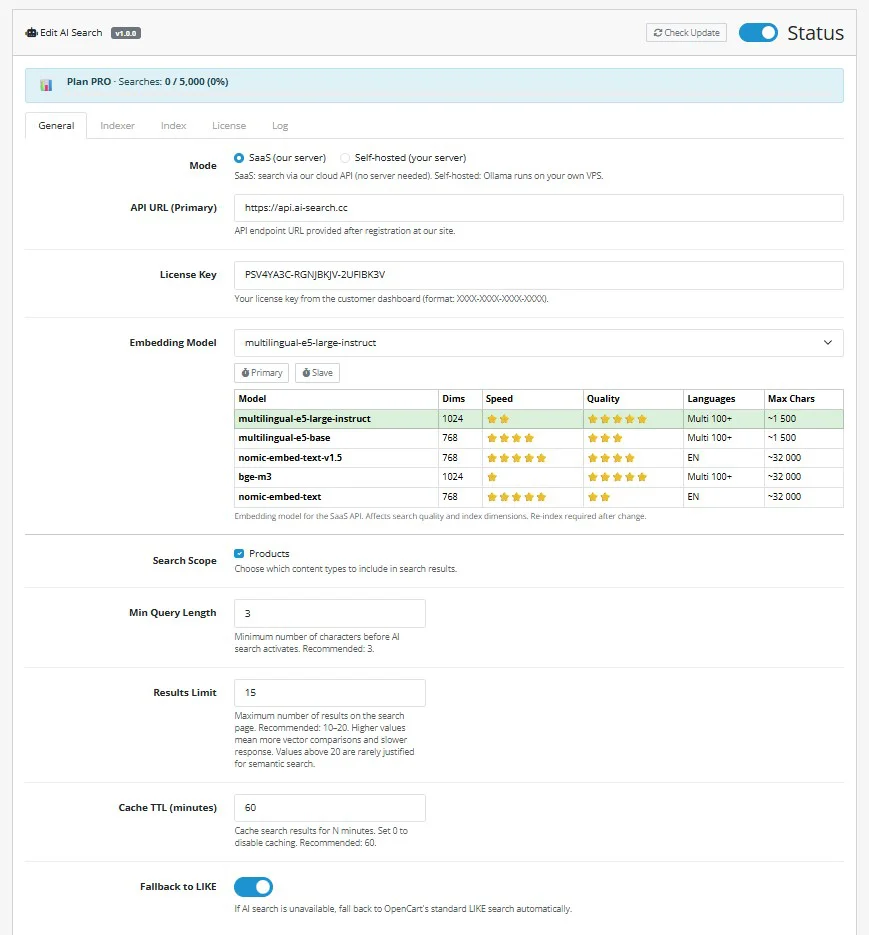
The General tab controls core behaviour: mode, API connection, embedding model, and search parameters.
Mode
SaaS — uses our cloud API (no server needed, requires license key). Self-hosted — runs Ollama on your own VPS.
Embedding Model
Choose from the table: multilingual-e5-large-instruct (best quality, 100+ languages), nomic-embed-text-v1.5 (fastest, English only), and others. Changing the model requires re-indexing.
Min Query Length
Minimum characters before AI search activates. Recommended: 3.
Fallback to LIKE
If AI search is unavailable, automatically falls back to OpenCart's standard LIKE search. Keep enabled.
Indexing
The Indexer tab lets you control what content gets indexed and how. Select fields carefully — more data improves accuracy, but unnecessary technical fields add noise.
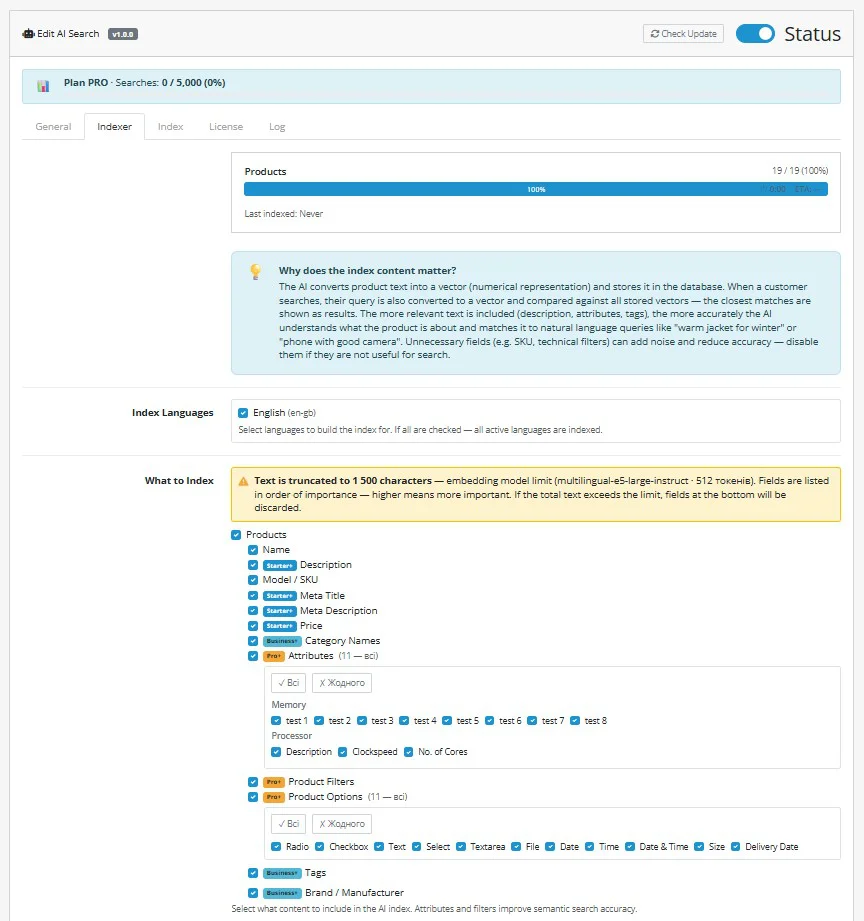
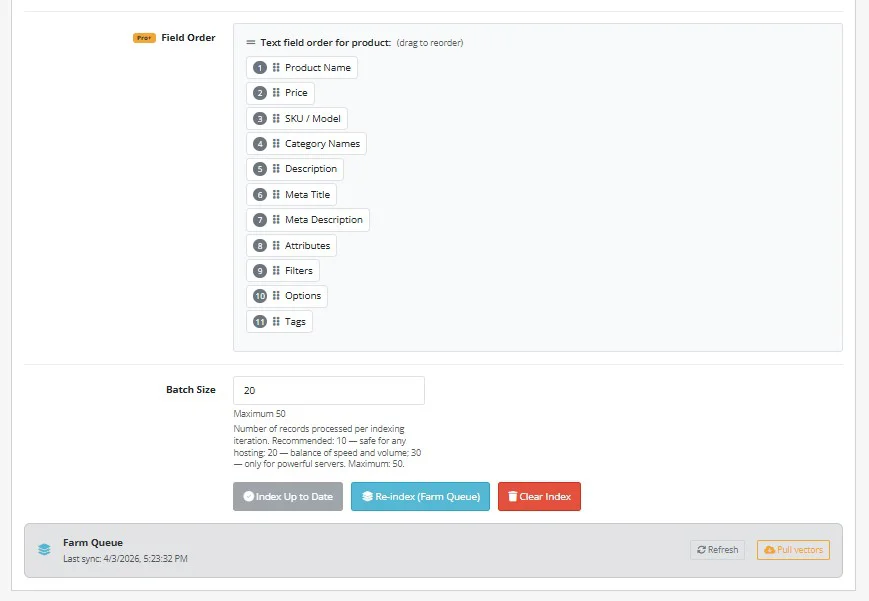
Use Field Order (drag to reorder) to prioritise what gets included first — if the total text exceeds the model's token limit, lower-priority fields are dropped. Use Re-index (Farm Queue) for large catalogs to offload embedding generation to the GPU farm.
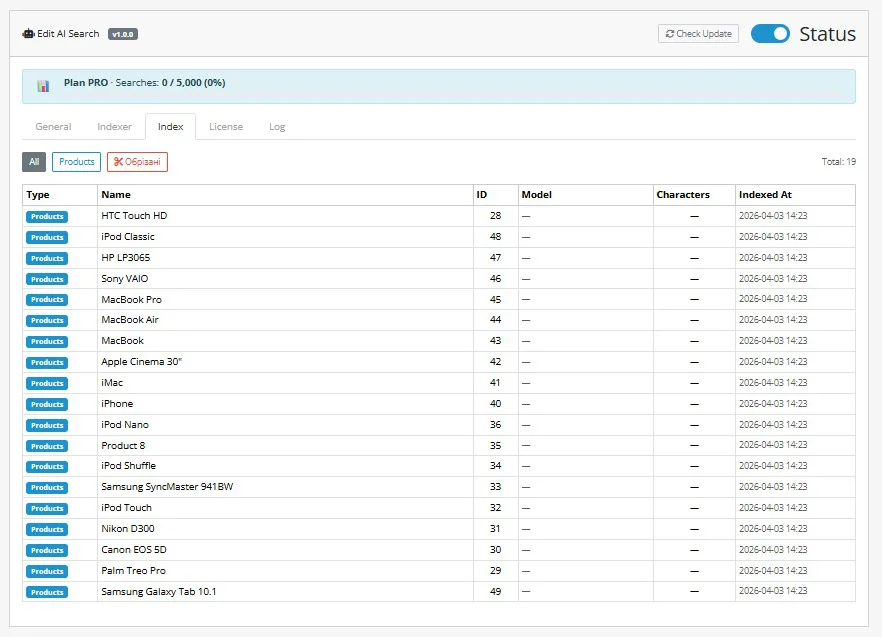
After indexing, switch to the Index tab to verify all products are indexed. You can filter by truncated items to check if any descriptions were cut off.
Faceted Filters Setup
New in v1.0.5AI Search v1.0.5 introduces AJAX-powered faceted filters that work directly on the search results page (/search) — not just on category pages. Options are ranked by AI relevance to the query, not alphabetically. The filter panel auto-renders without theme edits via OpenCart event hooks.
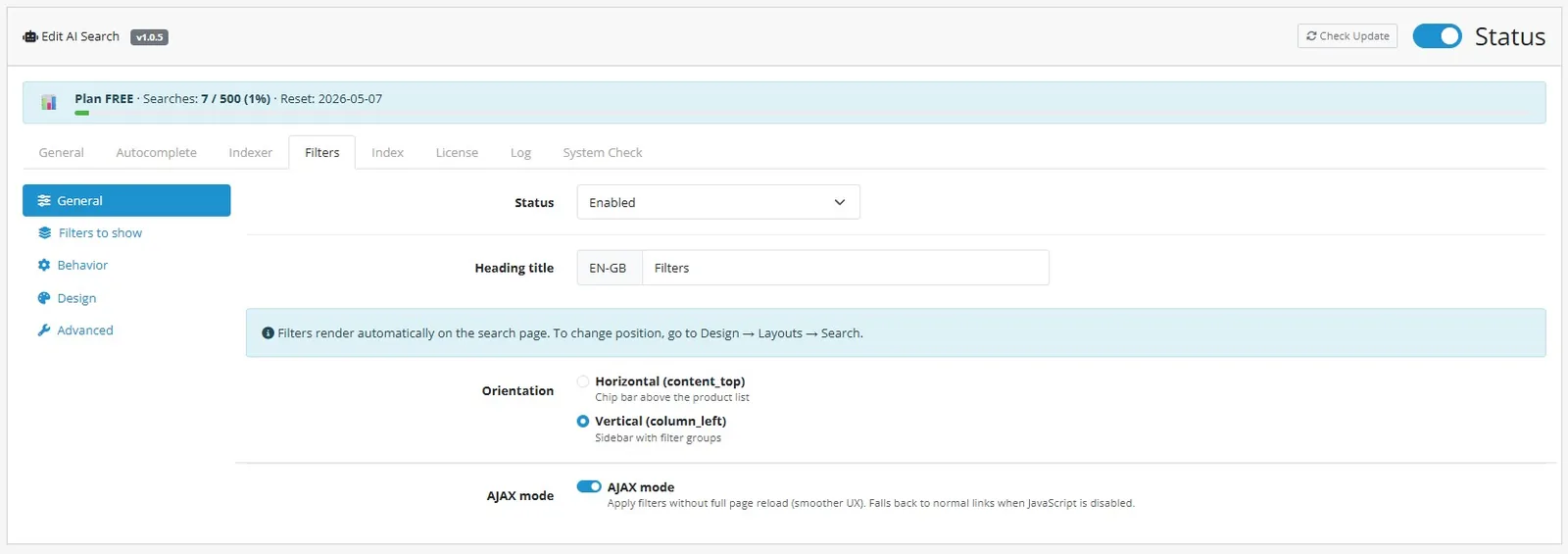
Configuration is split into 5 sub-tabs under Extensions → AI Search → Filters:
General
Toggle the module on/off, set the heading text (per-language), choose orientation (Vertical sidebar in column_left or Horizontal chip-bar in content_top), and enable AJAX mode for filter changes without page reload (falls back to normal links when JS disabled).
Filters to show
Pick which filter groups to render: Price (range slider with min/max inputs), Availability (in stock / out of stock), Categories, Brands (with built-in search box for long lists), Attributes, and Options. Each group can be enabled independently.
Behavior
Configure exclude-self per group (selecting one brand still shows other brand counts), show product counts next to each option, AI Relevance Sort (rank options by semantic proximity to the query — v1.0.5 exclusive), and collapsible groups.
Design
Customize the mobile floating action button (FAB): position (bottom-left/right), side and vertical offset, shape (rectangle/pill/circle), corner radius, background and text color. A live iPhone preview updates as you tweak settings. Panel colors customize the desktop sidebar.
Advanced
Debug mode (logs filter queries to storage/logs), cache TTL for filter aggregates (default 600s), URL parameter format (CSV: ai_f[category]=1,2,3).
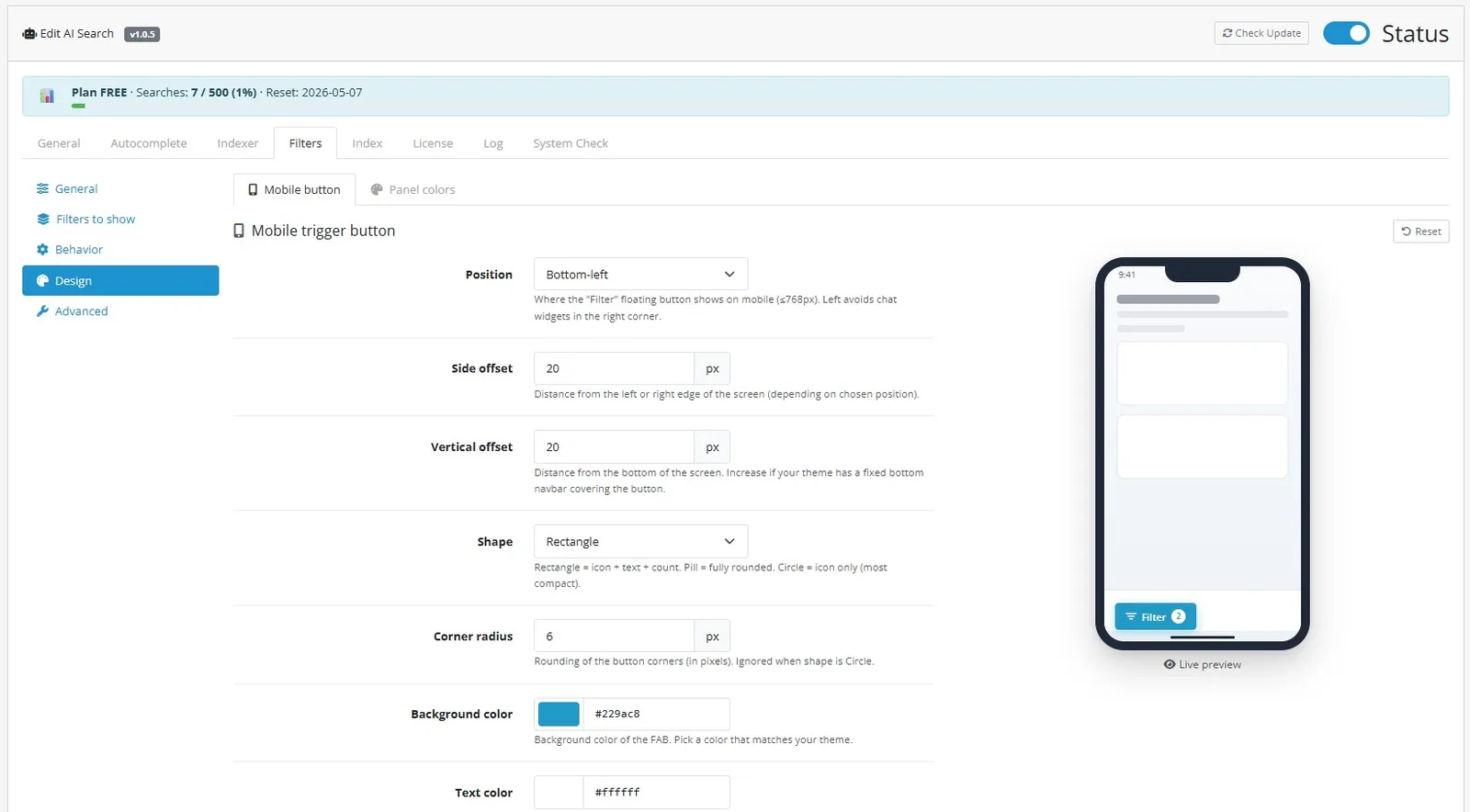
Position is controlled by the Orientation setting in the General tab — pick Vertical (sidebar in column_left) or Horizontal (chip-bar in content_top). The module auto-injects via OpenCart event hooks, no manual layout edits needed.
API
API reference coming soon.
Troubleshooting
Troubleshooting guide coming soon.